I Tested Karpathy’s Second Brain Method With Claude and Obsidian - Here’s What Worked

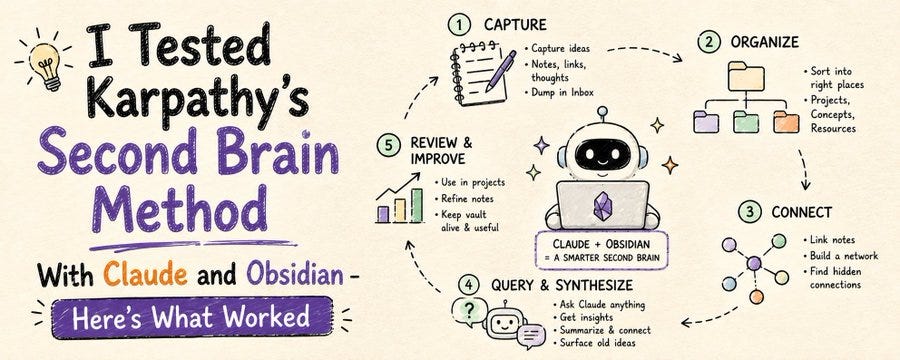
Learn how Karpathy’s second brain method becomes more powerful when combined with Claude and Obsidian for atomic notes, linking, and daily workflows.
Andrej Karpathy’s second brain style becomes much more useful when you pair it with Claude and Obsidian.
On its own, the method is already strong: atomic notes, meaningful links, and a knowledge base you actually use for thinking.
But when Claude can help summarize, connect, and query that vault, the system stops behaving like a static archive and starts acting like an active thinking partner.
Why this matters
Most note systems decay over time.
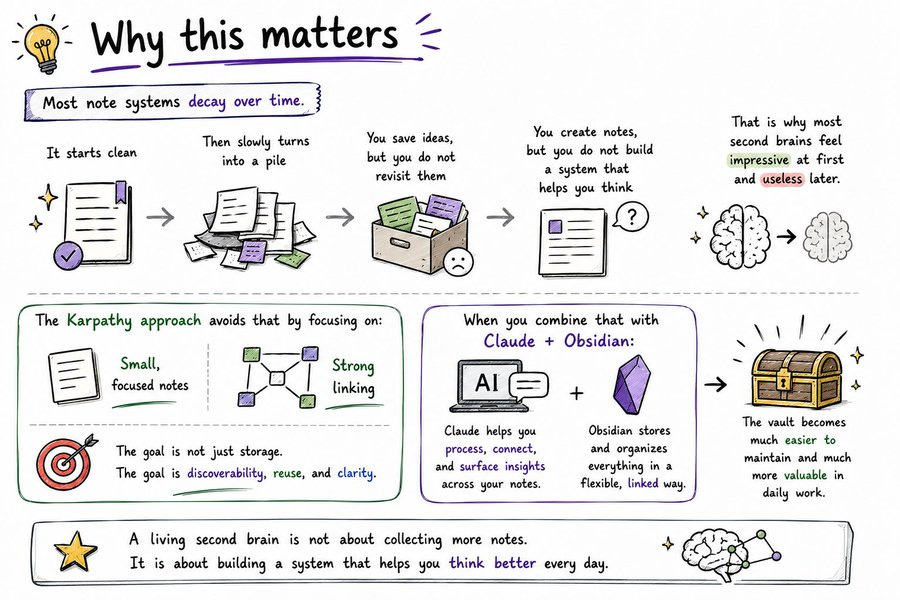
They start clean, then slowly turn into a pile of disconnected fragments. You save ideas, but you do not revisit them. You create notes, but you do not build a system that helps you think. That is why most second brains feel impressive at first and useless later.
The Karpathy approach avoids that by focusing on small, focused notes and strong linking. The goal is not just storage. The goal is discoverability, reuse, and clarity. When you combine that with Claude, the vault becomes much easier to maintain and much more valuable in daily work.
What the method is
The core idea is simple: make atomic notes and connect them well.
Each note should hold one idea, one concept, one decision, or one useful reference. Then link that note to other related notes so knowledge forms a network instead of a pile. That network is what makes the vault useful later, because you can move through ideas instead of searching blindly.
This matters because thinking rarely happens in isolation. One note leads to another. One project connects to a concept. One insight reappears in a different context. A good second brain makes those paths visible.
My setup
The setup that worked best was not complicated.
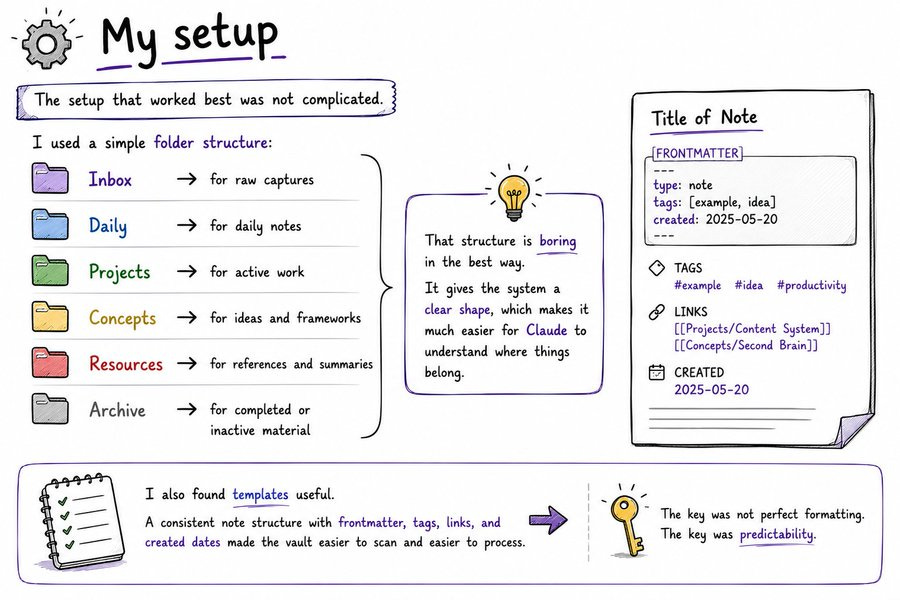
I used a simple folder structure:
Inbox for raw captures,
Daily for daily notes,
Projects for active work,
Concepts for ideas and frameworks,
Resources for references and summaries,
Archive for completed or inactive material.
That structure is boring in the best way. It gives the system a clear shape, which makes it much easier for Claude to understand where things belong.
I also found templates useful. A consistent note structure with frontmatter, tags, links, and created dates made the vault easier to scan and easier to process. The key was not perfect formatting. The key was predictability.
How Claude fit in
Claude became useful once it knew how to behave inside the vault.
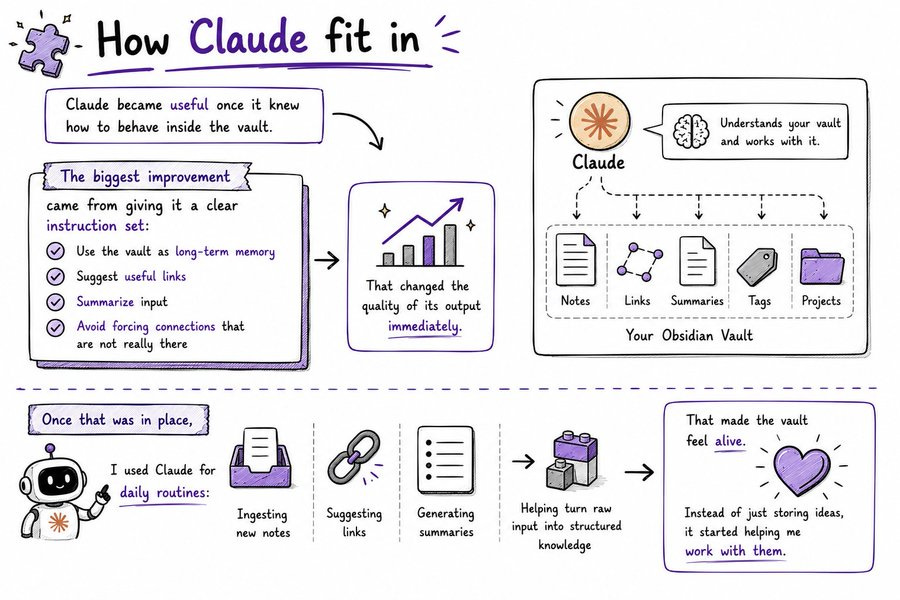
The biggest improvement came from giving it a clear instruction set: use the vault as long-term memory, suggest useful links, summarize input, and avoid forcing connections that are not really there. That changed the quality of its output immediately.
Once that was in place, I used Claude for daily routines:
ingesting new notes,
suggesting links,
generating summaries,
and helping turn raw input into structured knowledge.
That made the vault feel alive. Instead of just storing ideas, it started helping me work with them.
What worked in testing
The strongest result was better recall.
Claude could surface old ideas I had forgotten, and that led to better project decisions and content ideas. I also found that querying the graph directly was much more useful than normal search. Asking something like “What do I know about this topic?” produced a more useful answer than trying to remember where I saved something months ago.
The daily ingestion routine mattered too. Small, regular updates kept the vault organized without requiring a huge manual cleanup session. That meant less friction and more consistency, which is what makes these systems survive beyond the novelty stage.
What people miss
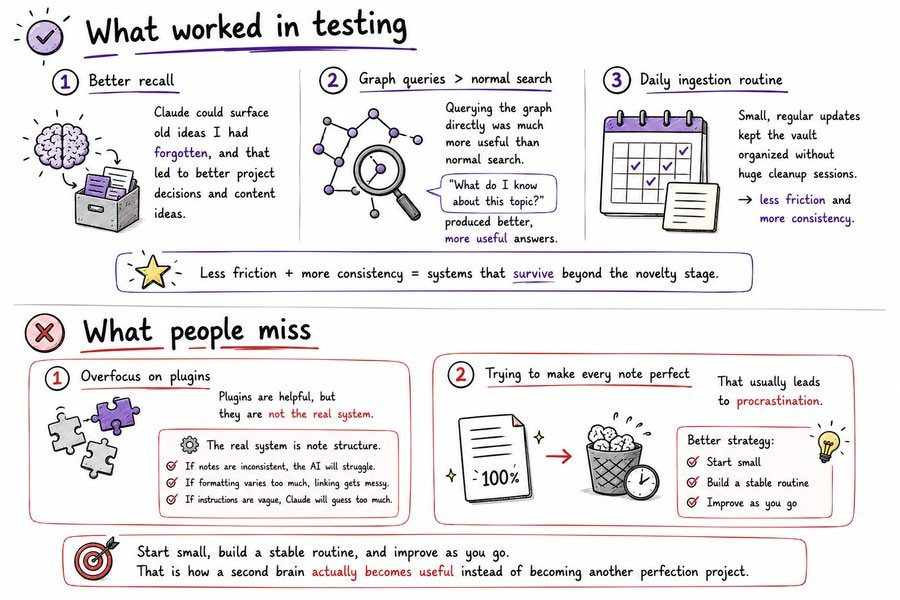
Most people overfocus on plugins.
Plugins are helpful, but they are not the real system. The real system is note structure. If the notes are inconsistent, the AI will struggle. If the formatting varies too much, linking gets messy. If the instructions are vague, Claude will guess too much.
Another mistake is trying to make every note perfect. That usually leads to procrastination. A better strategy is to start small, build a stable routine, and improve as you go. That is how a second brain actually becomes useful instead of becoming another perfection project.
Where it breaks down
This setup is not magic.
Large vaults can slow things down if retrieval is not organized well. Inconsistent formatting can confuse Claude and produce weaker links. Old notes can clutter the graph if you never clean anything up. And if you trust the AI without checking its suggestions, subtle errors can slip in.
The answer is not to avoid the system. The answer is to keep it tidy and keep a human in the loop for important decisions.
How to use it well
The best starting point is one routine.
A morning synthesis workflow is a good example. Pull in new information, have Claude suggest links, update the relevant notes, and stop there. Once that works, you can expand into content planning, research, retrospectives, or project reviews.
The first two weeks matter most. Use them to refine prompts, adjust note structure, and see where Claude helps and where it needs clearer instructions. After that, the system becomes much easier to trust.
Interesting results. I took a slightly different architecture for mine — shared it here in case useful: https://creatism.substack.com/p/thinking-of-building-a-personal-os
You don't even need obsidian, just Claude, dou add the plugin and have an LLM Wiki without any third party dependencies and fully open source: https://github.com/theafh/ai-modules/tree/main/plugins/knowledge_management